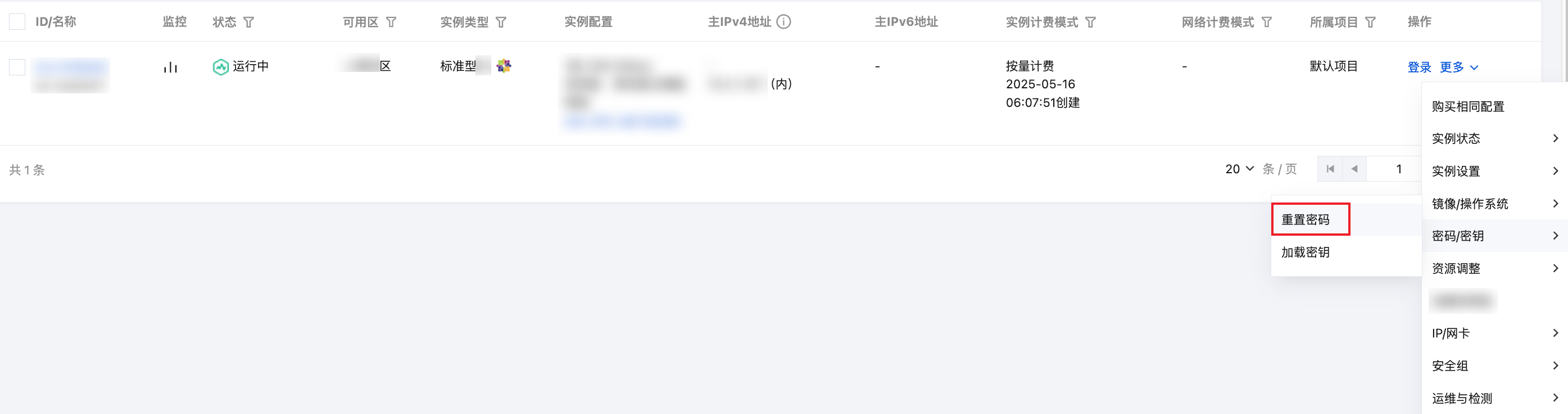
操作场景
注意事项
操作步骤
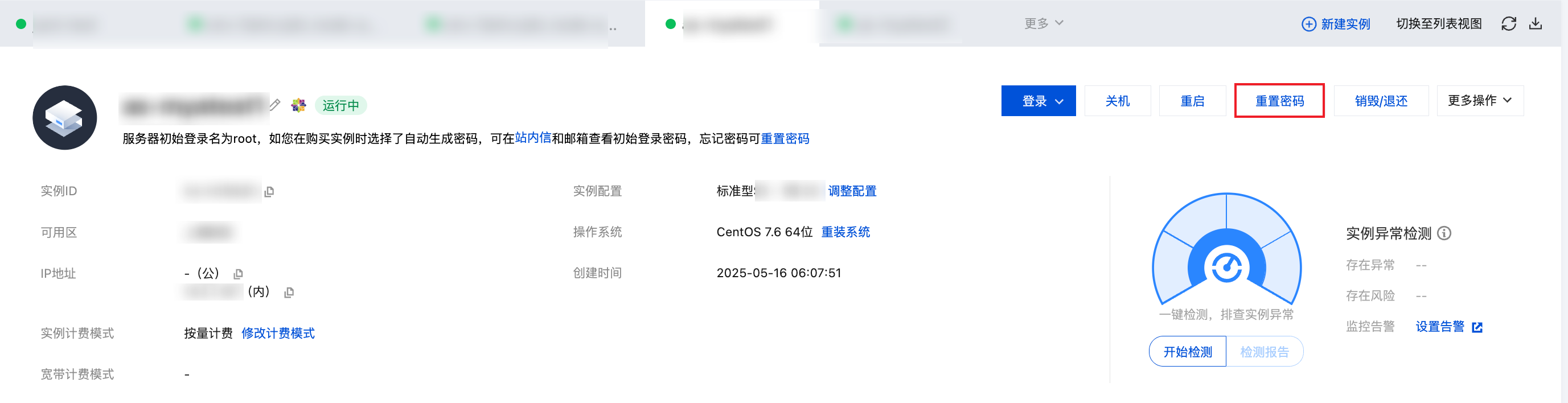
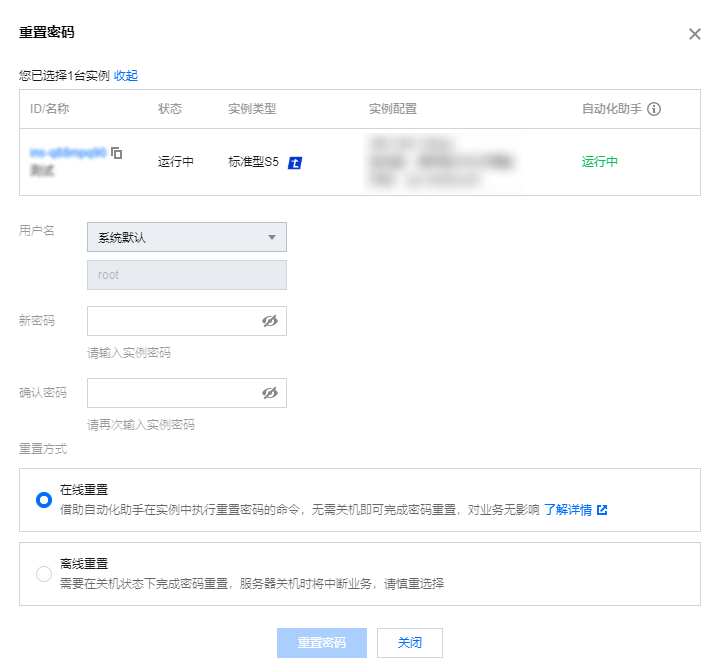
单台:
Administrator、Ubuntu 系统默认用户名为 ubuntu、其他版本 Linux 系统默认为 root)。如您需指定其他用户名,请选择指定用户名并输入对应用户名称。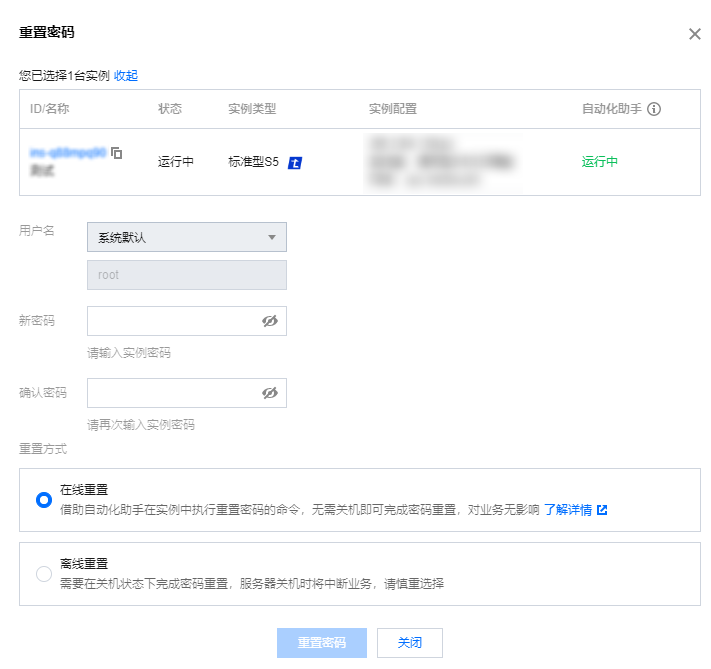
多台操作如下:
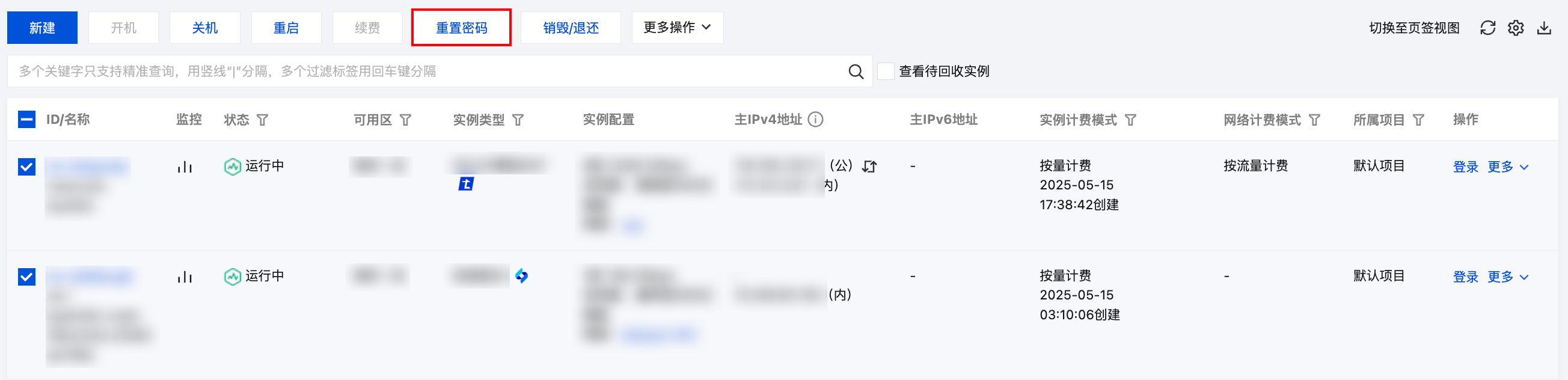
Administrator、Ubuntu 系统默认用户名为 ubuntu、其他版本 Linux 系统默认为 root)。如您需指定其他用户名,请选择指定用户名并输入对应用户名称。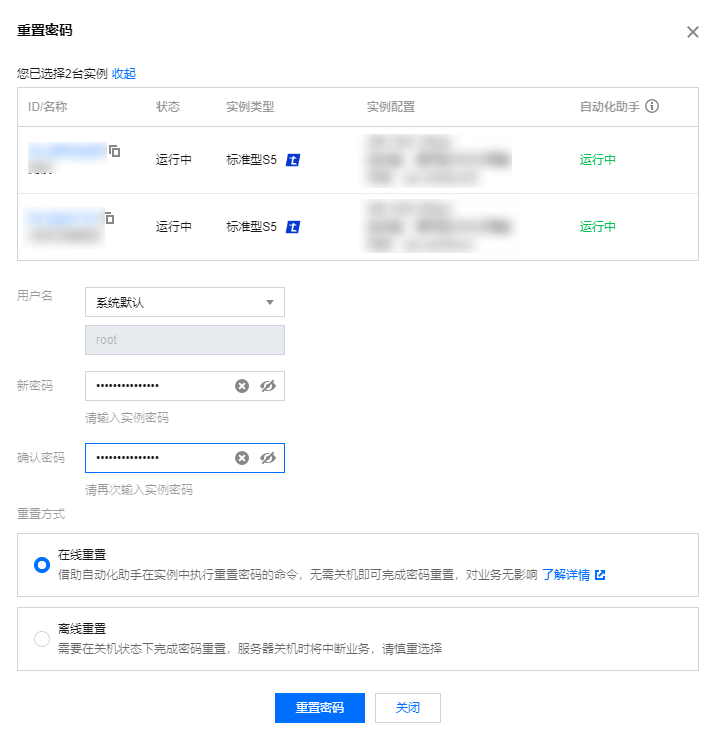
注意事项


在弹出的“执行命令”窗口中,根据实例的操作系统进行以下操作:
在“命令内容”中,输入以下命令:
#!/bin/bash
# {{userName}}
# {{tat-hidden:newPassword}}
# Get the password from the second line comment.
userName=$(sed -n ‘2s/^..//p’ “$0”)
newPassword=$(sed -n ‘3s/^..//p’ “$0”)
if [ -z “$userName” ]; then
echo ‘userName 为空(userName is empty)’
exit 1
fi
if [ -z “$newPassword” ]; then
echo ‘newPassword 为空(newPassword is empty)’
exit 2
fi
if whereis chpasswd &> /dev/null; then
echo “$userName:$newPassword” | chpasswd || exit $?
elif passwd –help | grep “stdin” > /dev/null 2>&1; then
echo “$newPassword” | passwd “$userName” –stdin || exit $?
else
echo -e “$newPasswordn$newPassword” | passwd “$userName” || exit $?
fi
if grep -q “PasswordAuthentication no” /etc/ssh/sshd_config; then
sed -i “s/PasswordAuthentication no/PasswordAuthentication yes/g” /etc/ssh/sshd_config
if systemctl list-units 2> /dev/null | grep -q ‘sshd’; then
systemctl restart sshd > /dev/null 2>&1
elif systemctl list-units 2> /dev/null | grep -q ‘ssh’; then
systemctl restart ssh > /dev/null 2>&1
elif initctl list 2> /dev/null | grep -q ‘^ssh ‘; then
initctl restart ssh > /dev/null 2>&1
elif [ -x /etc/init.d/sshd ]; then
/etc/init.d/sshd restart > /dev/null 2>&1
elif [ -x /etc/init.d/ssh ]; then
/etc/init.d/ssh restart > /dev/null 2>&1
fi
fi
if ! faillock –user “$userName” –reset &> /dev/null; then
pam_tally2 –user “$userName” –reset &> /dev/null
fi
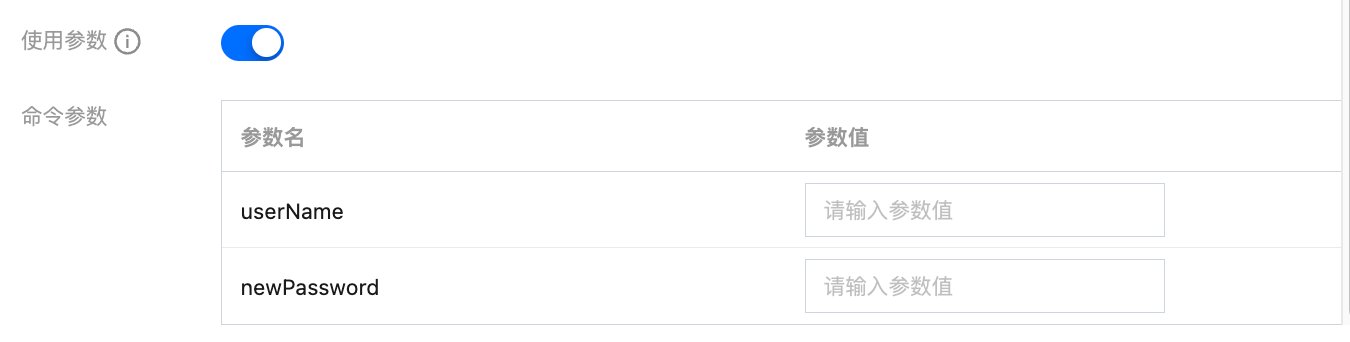
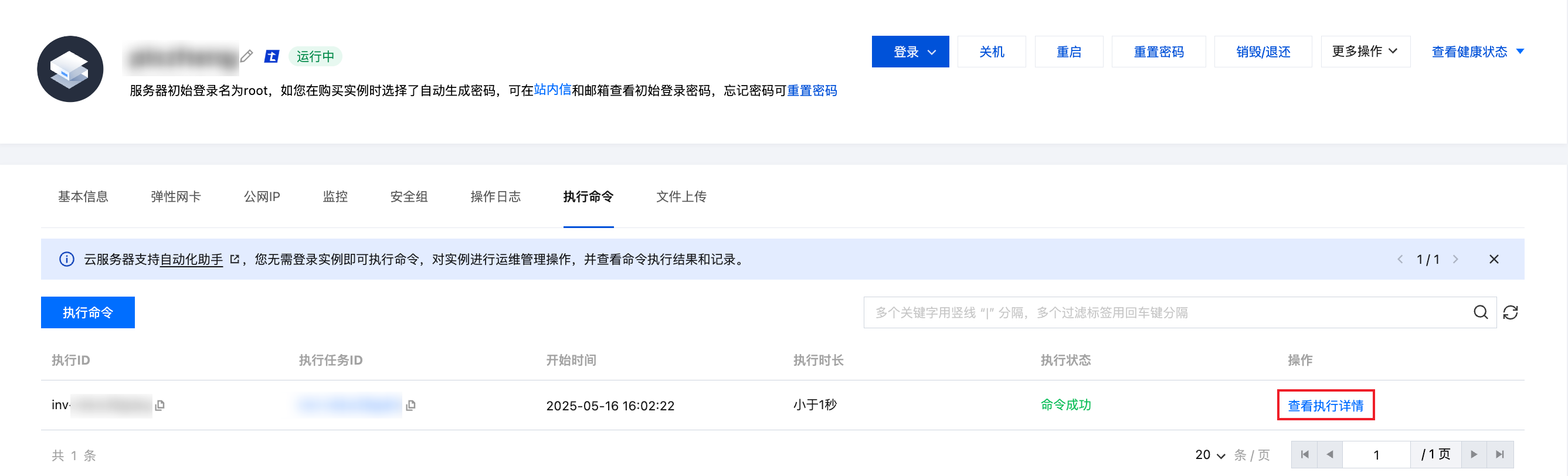
单击执行命令后,在执行结果步骤中查看信息,单击执行完成即可。
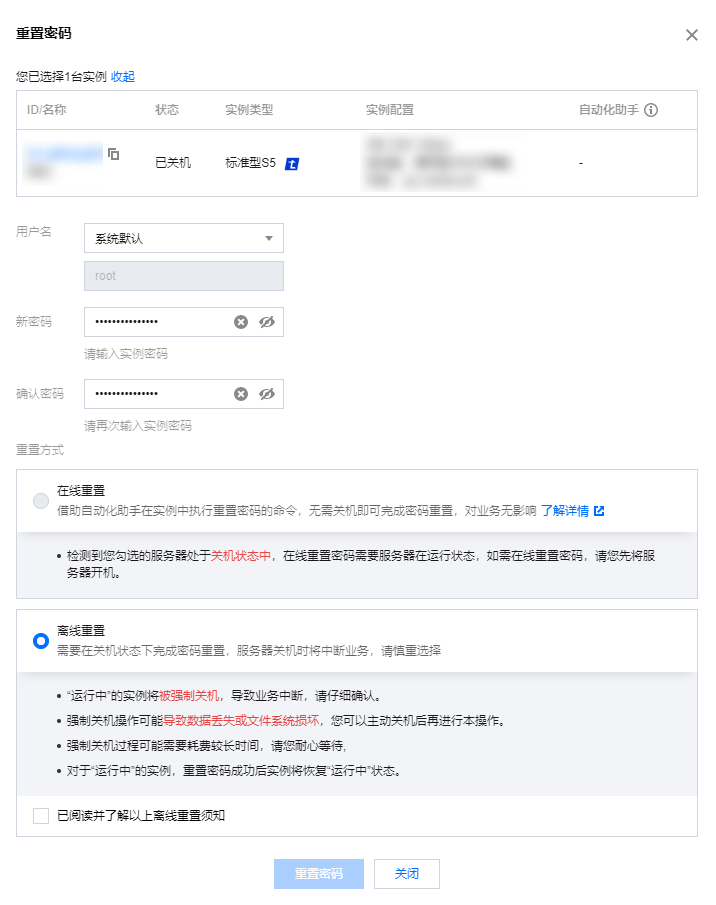
另一个系统操作如下: